Zero-latency Position Management
You will learn how to launch the position manager and configure gateways.
Conda
Install the roq-position-manager package
$ conda install -y -c https://roq-trading.com/conda/unstable roq-position-manager
Configure
Gateway
You must add the position manager as a user in your TOML config file
[users.position_manager]
password = "secret"
drop_copy = true
Important
This user must include the drop_copy = true option.
The gateway’s command-line must include the --enable_portfolio flag and should include the
--download_trades_lookback and --download_trades_lookback_on_restart flags
$ roq-deribit \
    --name "deribit" \
    --config_file $HOME/deribit.toml \
    --client_listen_address unix://$HOME/deribit.sock \
    --flagfile $CONDA_PREFIX/share/roq-deribit/flags/test/flags.cfg \
    --download_trades_lookback_on_restart=24h \
    --download_trades_lookback=5m \
    --enable_portfolio=true
Note
The gateway will cache trades received from the exchange they can be correlated with positions received from the position manager. (This is the trick to how the gateway can support zero-latency position updates.)
This extra work has some cost and is the reason why the feature currently is opt-in.
Position Manager
symbols = [
  "^BTC-PERPETUAL$"
]
roq-position-manager \
  --name position-manager \
  --config_file $CONFIG_FILE \
  --database_uri http://localhost:8123 \
  --database_name roq \
  --database_username roq \
  --database_password roq \
  --enable_portfolio=true \
  $HOME/deribit.sock
Note
We assume that a ClickHouse service is running on the same host.
Note
The position manager could be passive (simply pushing fills into the database) or active (communicating
positions back to the gateway).
This is the reason behind the --enable_portfolio flag.
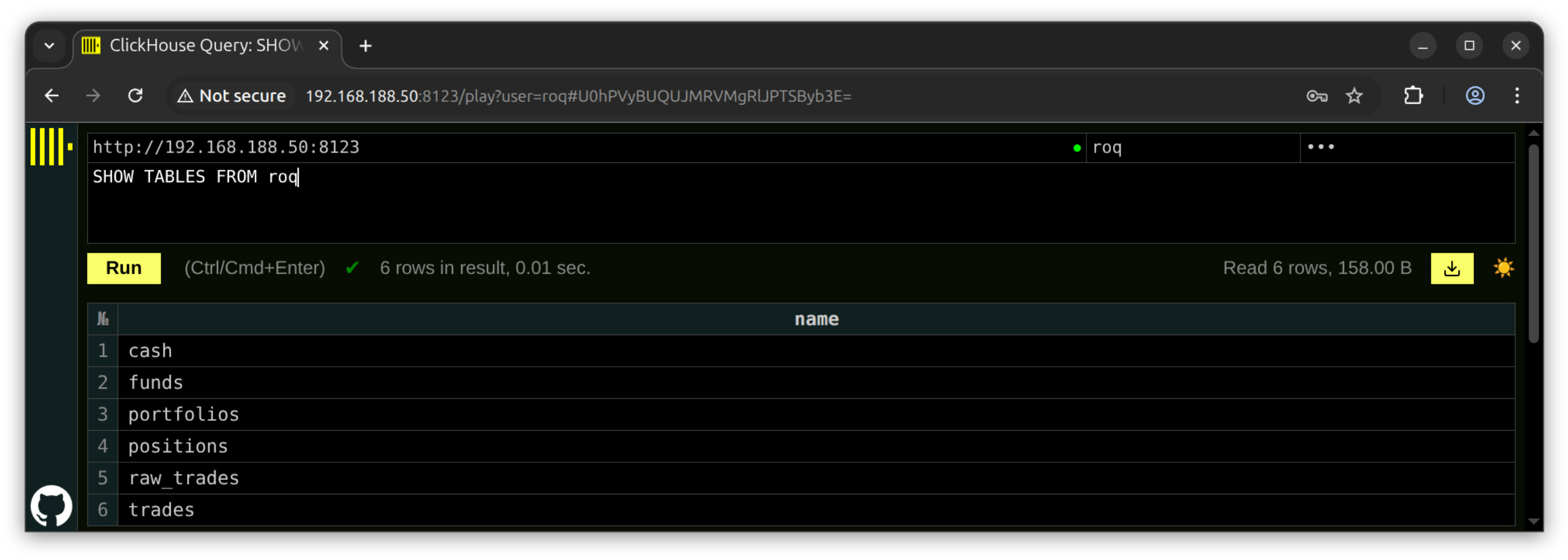
Database
Tables will automatically be created when launching the position manager
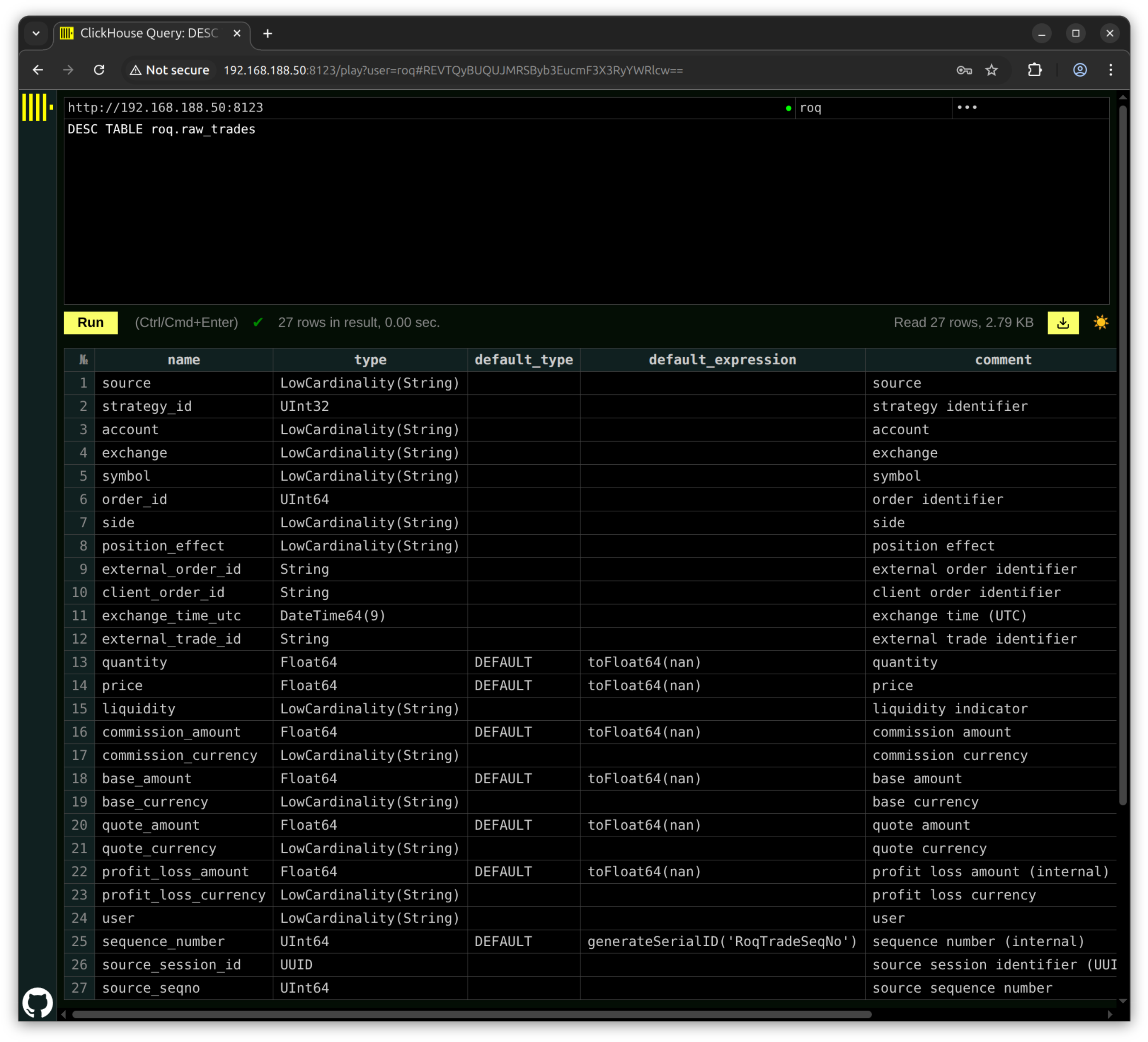
We can inspect a single table like this
Example
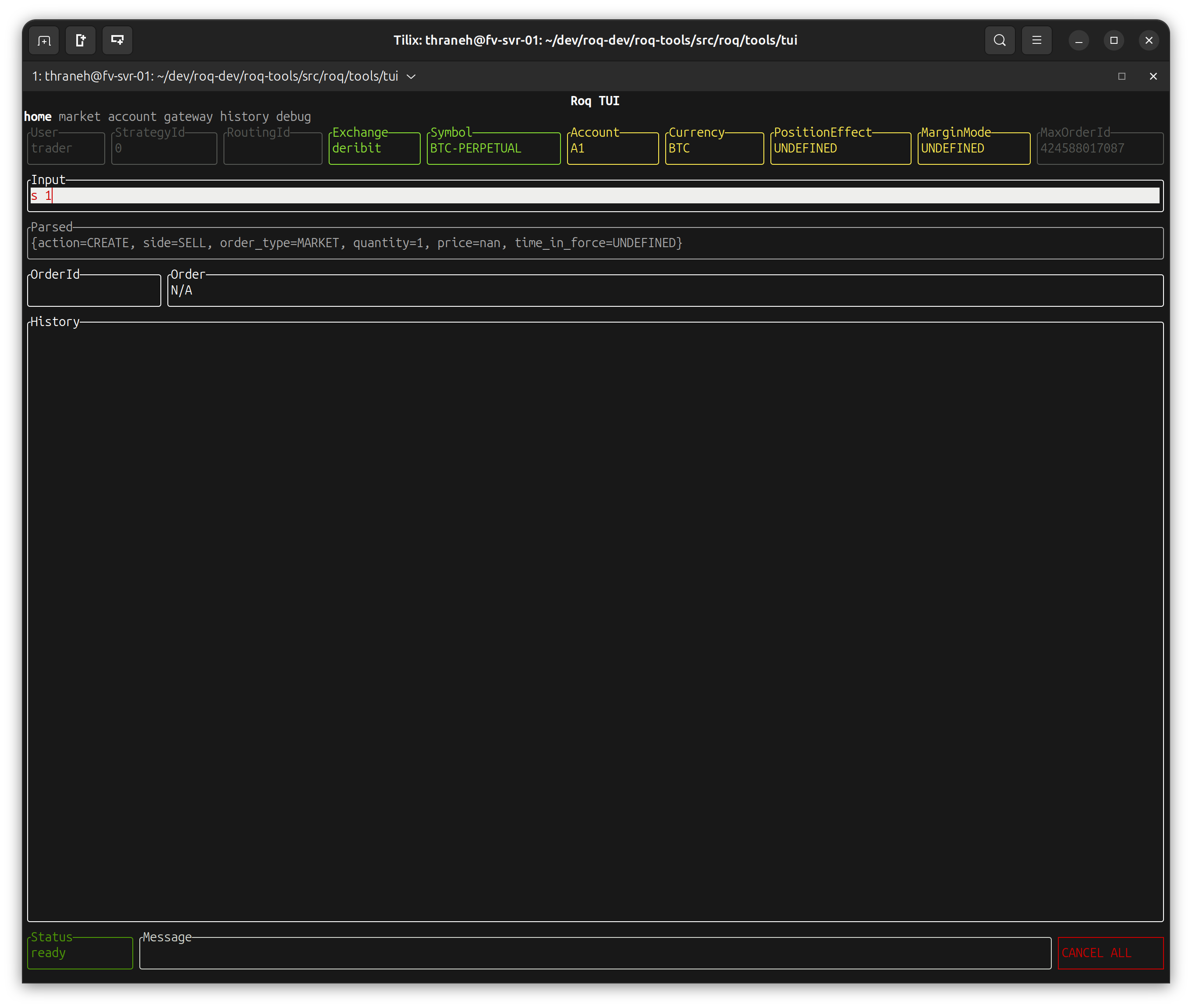
Enter a market order
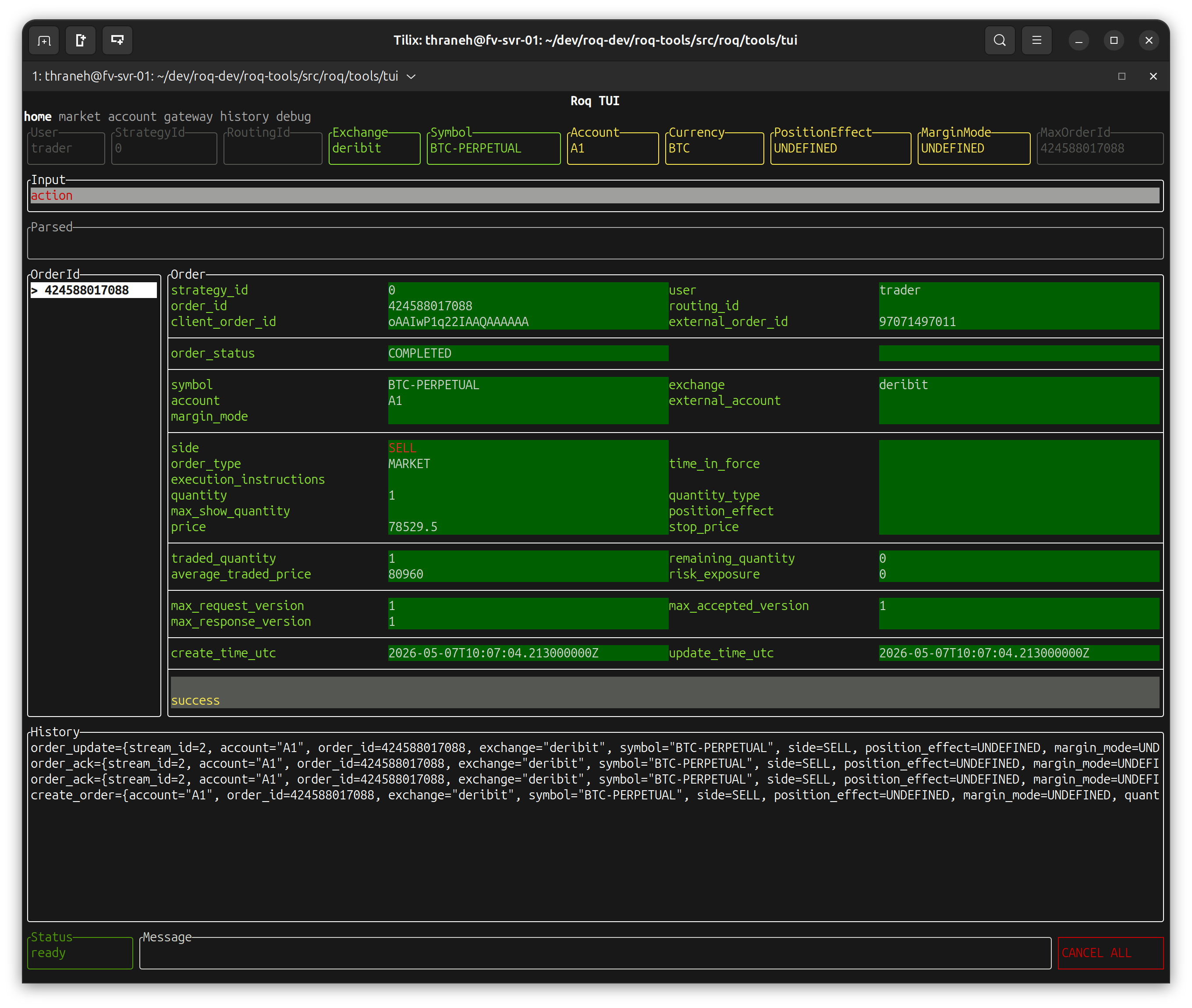
Which was accepted by the exchange
We can now see the trade being inserted into the database
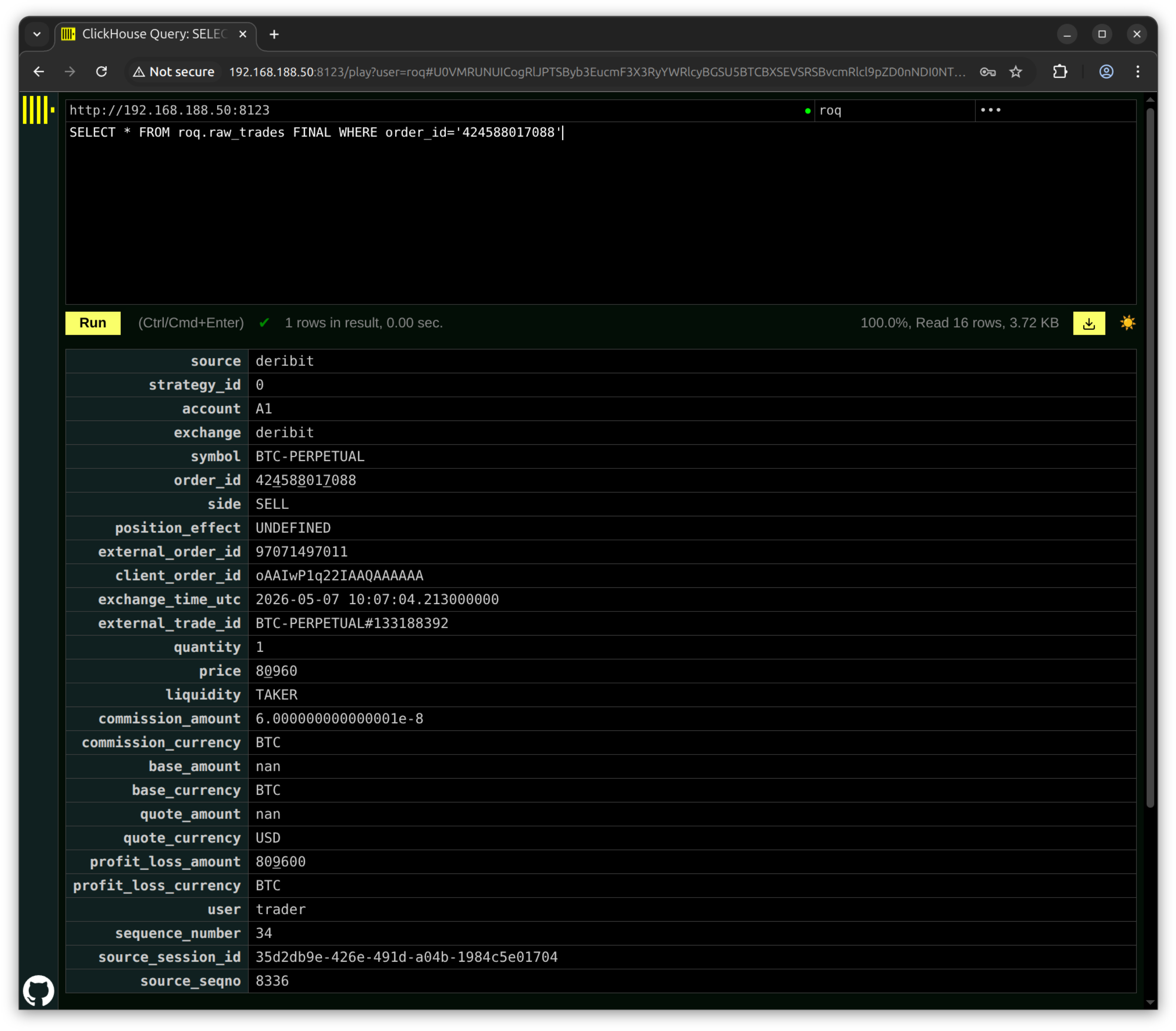
Using “roq-dump” to inspect the event-log, we can find the gateway events
The gateway receives a trade from from the exchange
1778148424225973185ns

trade_update={
  stream_id=3,
  account="A1",
  order_id=424588017088,
  exchange="deribit",
  symbol="BTC-PERPETUAL",
  side=SELL,
  position_effect=UNDEFINED,
  margin_mode=UNDEFINED,
  quantity_type=UNDEFINED,
  create_time_utc=1778148424213000000ns,
  update_time_utc=1778148424213000000ns,
  external_account="",
  external_order_id="97071497011",
  client_order_id="oAAIwP1q22IAAQAAAAAA",
  fills=[{exchange_time_utc=1778148424213000000ns,
  external_trade_id="BTC-PERPETUAL#133188392",
  quantity=1,
  price=80960,
  liquidity=TAKER,
  commission_amount=6.000000000000001e-08,
  commission_currency="BTC",
  base_amount=nan,
  quote_amount=nan,
  profit_loss_amount=809600}],
  routing_id="",
  update_type=SNAPSHOT,
  exchange_time_utc=0ns,
  exchange_sequence=0,
  sending_time_utc=0ns,
  user="trader",
  strategy_id=0
}
The gateway injects a portfolio update immediately after the trade update
1778148424225973185ns

portfolio_update={
  user="",
  strategy_id=0,
  account="A1",
  positions=[{exchange="deribit",
  symbol="BTC-PERPETUAL",
  position=2,
  profit_loss_amount=nan,
  profit_loss_currency=""}],
  update_type=SNAPSHOT,
  exchange_time_utc=0ns
}
Note
Same timestamp as the trade update.
The gateway receives a portfolio update from the position manager
1778148424480107609ns

portfolio_update={
  user="",
  strategy_id=0,
  account="A1",
  positions=[{exchange="deribit",
  symbol="BTC-PERPETUAL",
  position=2,
  profit_loss_amount=nan,
  profit_loss_currency=""}],
  update_type=INCREMENTAL,
  exchange_time_utc=1778148424213000000ns
}
Note
This event happens 254 milliseconds later, the cost of using a database. Roq can hide this latency as was just demonstrated.