Using the TUI (terminal user-interface)
You will learn how to use the TUI for manual order actions.
Conda
Install the roq-tools package
$ conda install -y -c https://roq-trading.com/conda/unstable roq-tools
TUI
Launch the TUI from a terminal
roq-tui $HOME/deribit.sock \
  --name trader \
  --account A1 \
  --exchange deribit \
  --symbol BTC-PERPETUAL \
  --currency BTC
Important
The first argument is the UNIX socket from the gateway’s --client_listen_address flag.
Overview
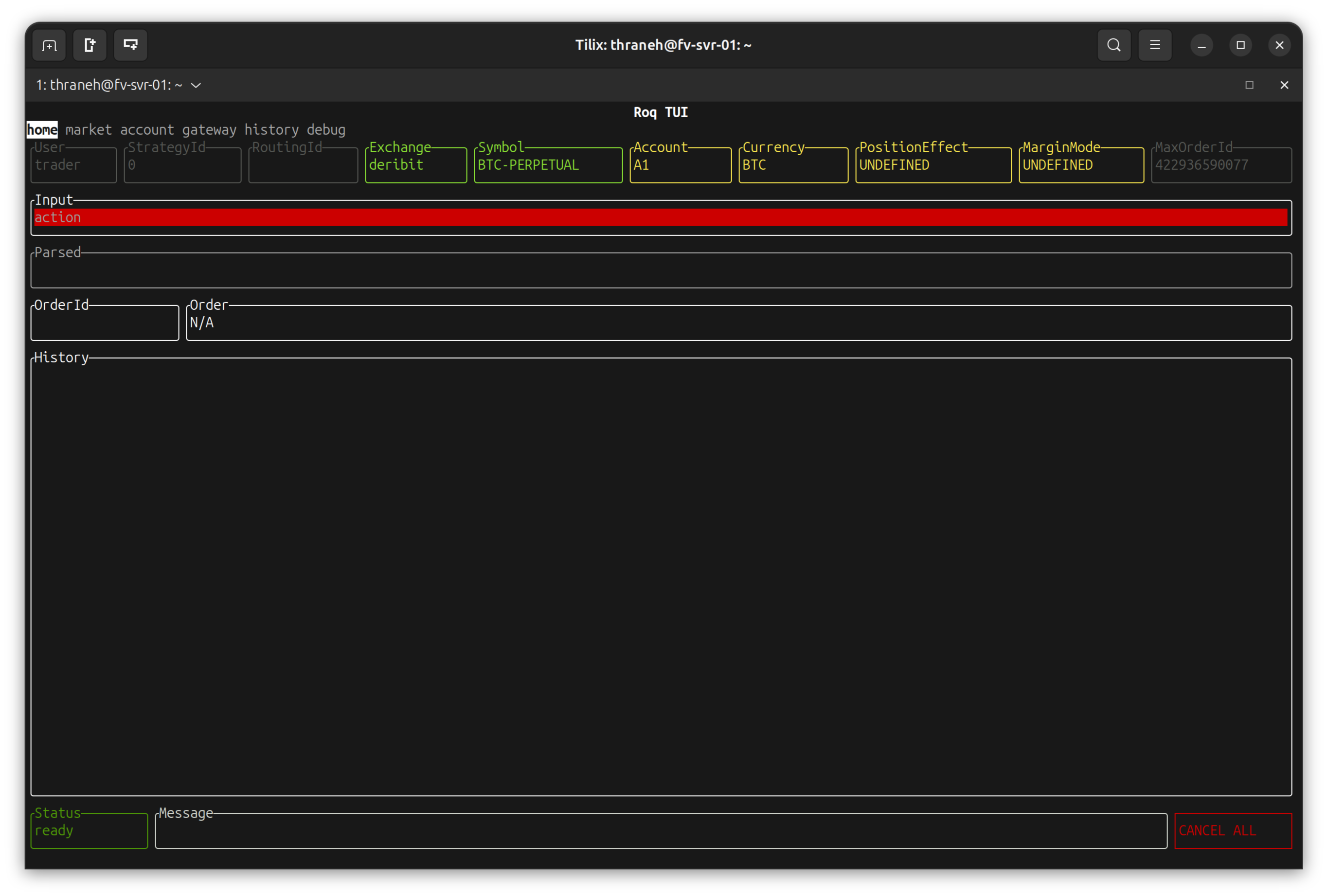
The “home” page is designed for managing orders
Note
Some order parameters must be defined through command-line flags, e.g. margin-mode, order-cancel-policy, position-effect, etc.
For each of these flags you will their value towards the top of the page.
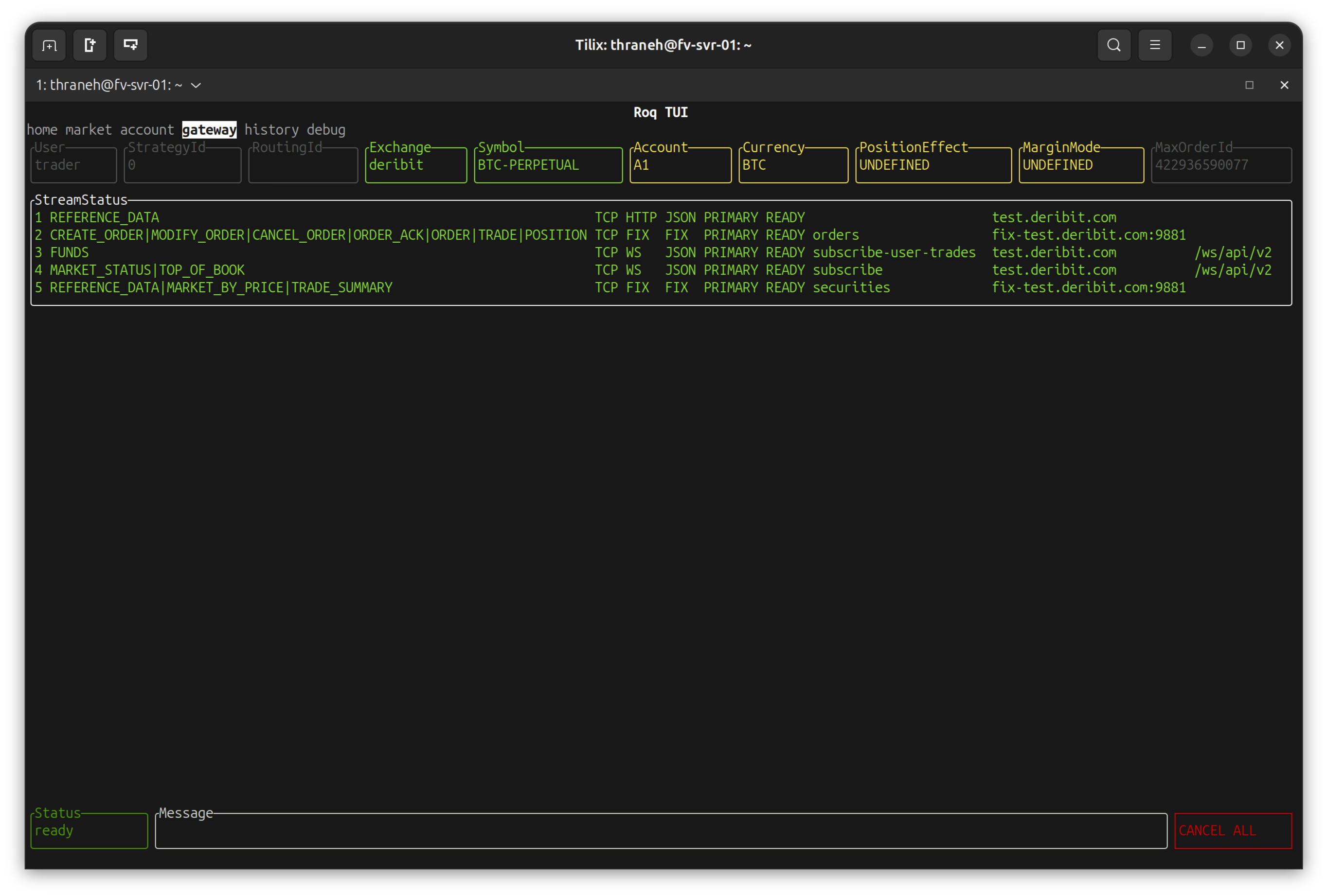
The “gateway” page shows status of each stream (connection)
Note
Connection status is particularly useful because many exchanges can only be accessed using inherently unstable web technologies.
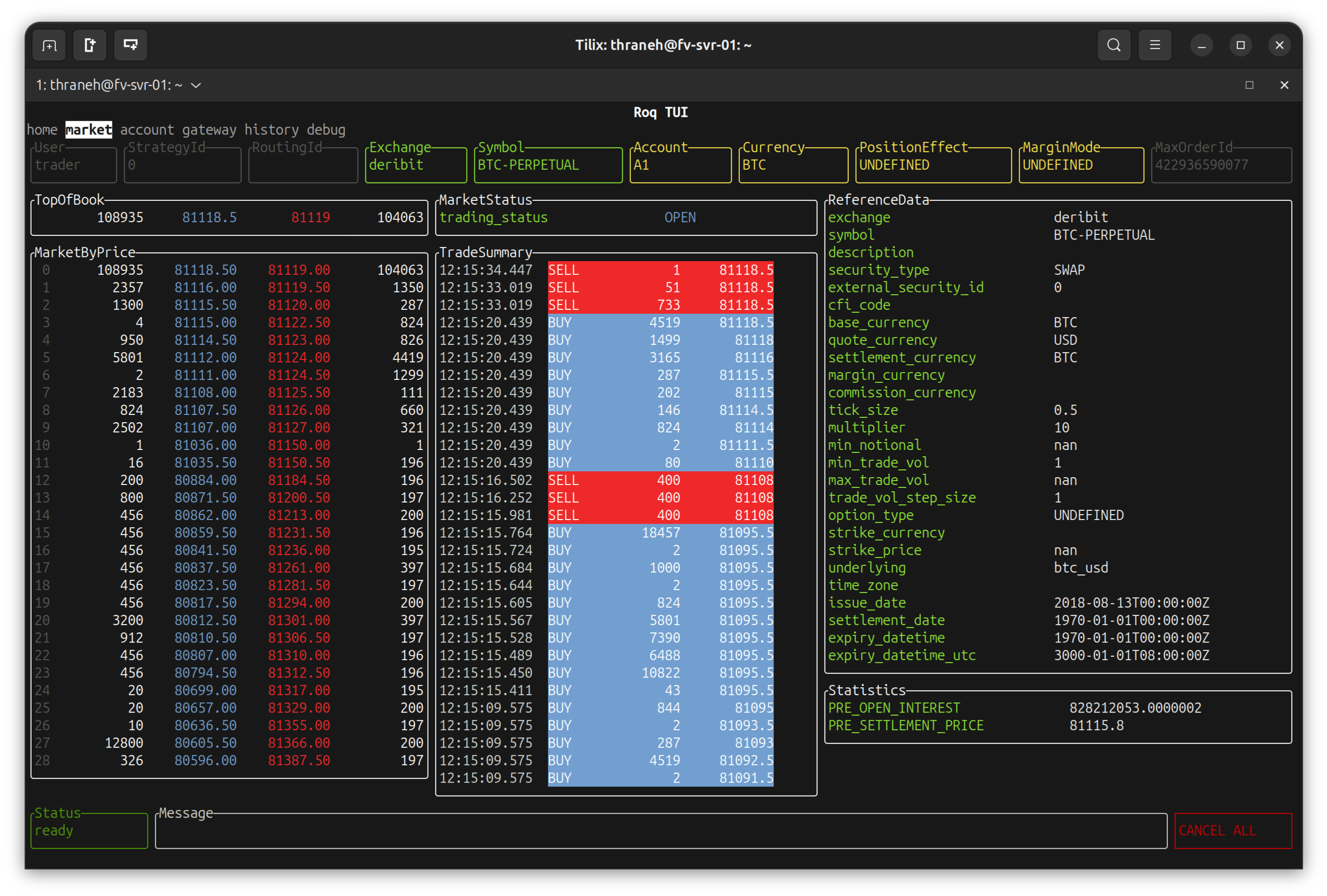
The “market” page shows live market data
Note
The order is realtime updates towards the left and slowly moving updates towards the right.
This page is very useful to understand the availability of market data from the exchange. In particular, some exchanges have incomplete market data, e.g. missing trading status.
Limit Order
Naviage to the “home” page.
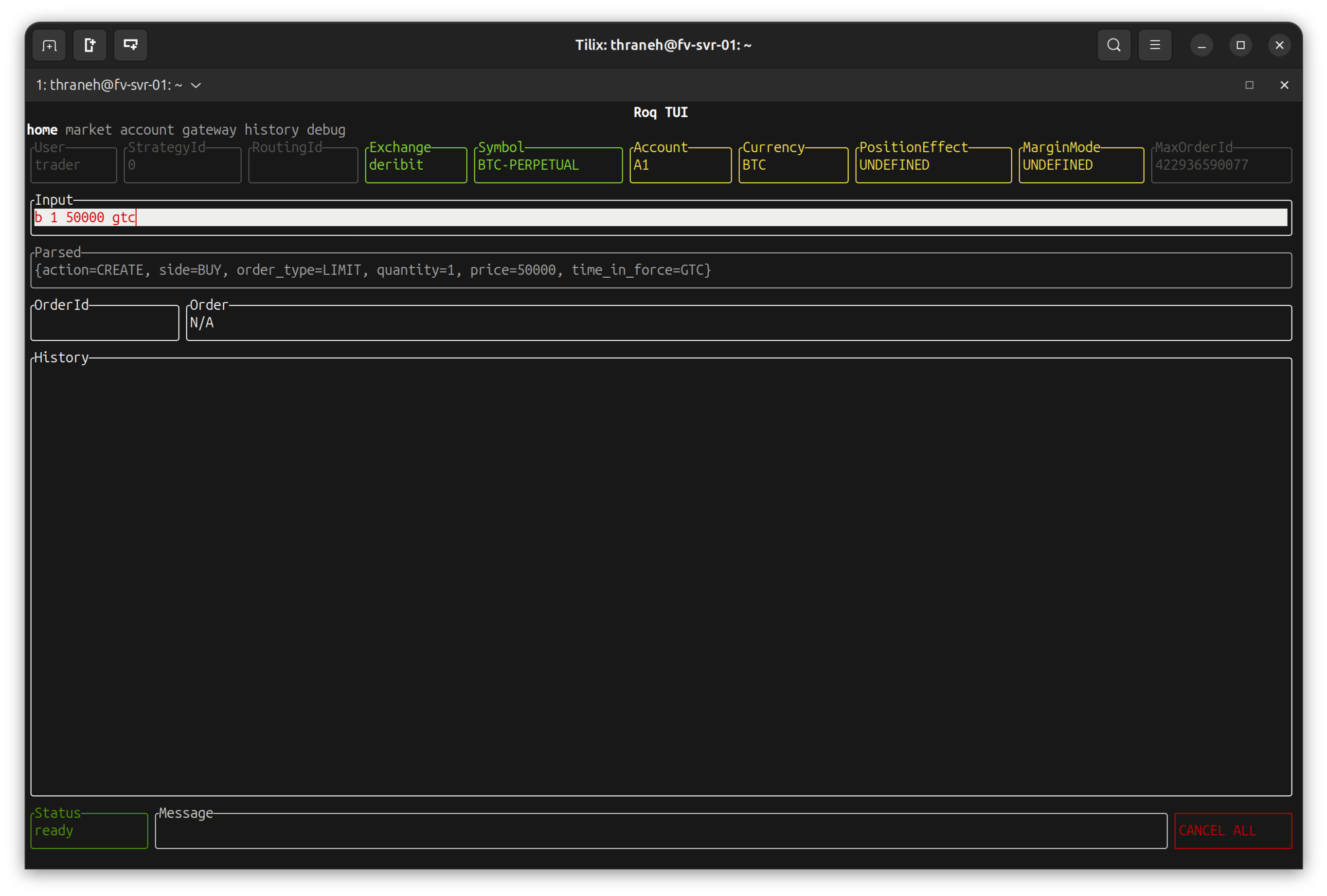
To place a limit order, we can use short-hand entry
Note
b 1 50000 gtc
Means: “buy 1 lot at 50’000 with good-till-cancel”.
The expanded order parameters are also shown directly under the input area.
When hitting “enter”, the request is sent to gateway / exchange
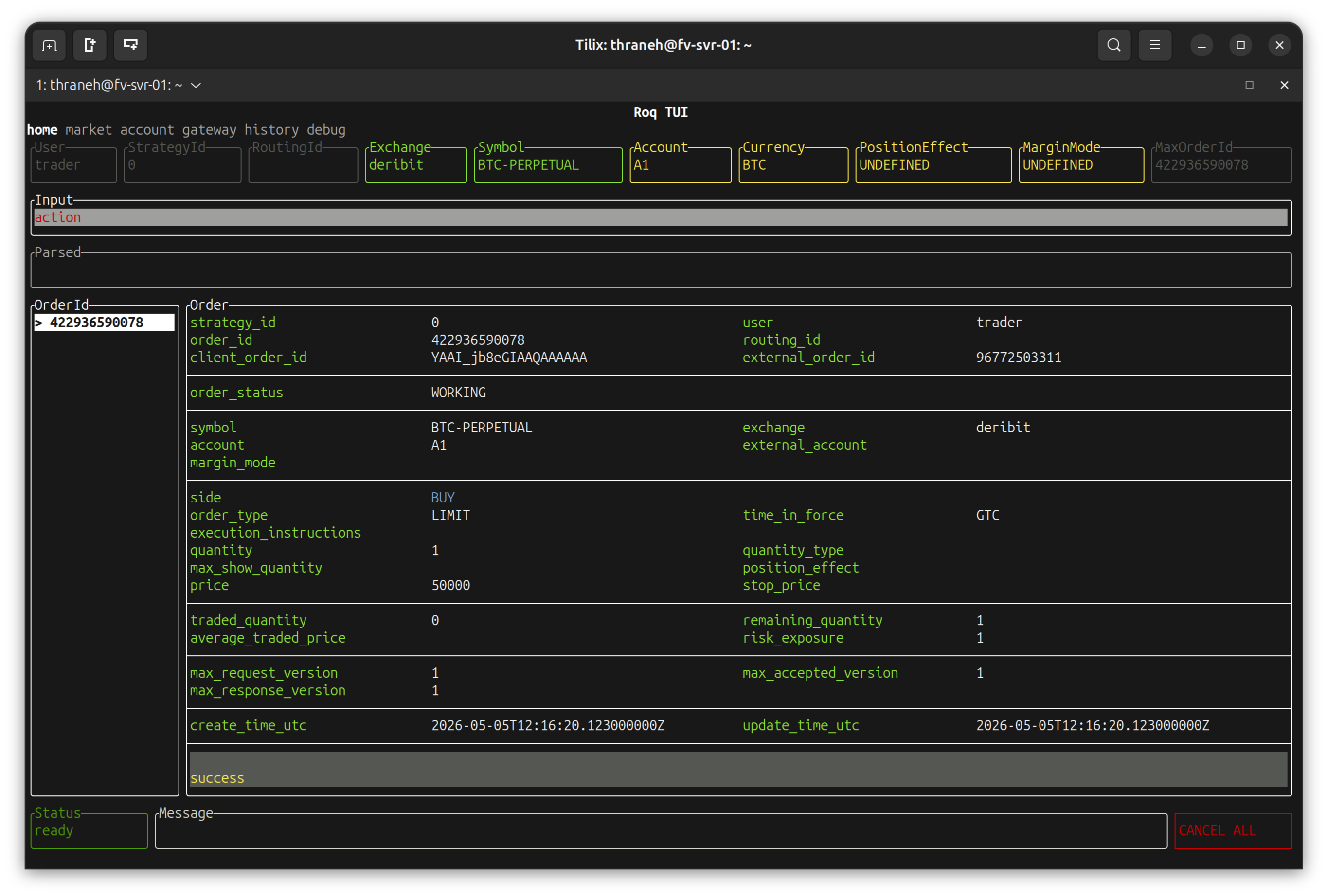
Note
Towards the bottom-left you will find 3 version numbers.
max_request_version increases with each request (your order actions entered on this screen).
max_response_version is based on matching exchange response against outstanding requests.
This is useful to verify exchange communication is functional.
max_accepted_version is the highest max_response_version where the request was ACCEPTED by the exchange.
This field is mostly useful for Roq’s FIX bridge.
Also note that the background is color-coded based on the order status.
In this case everything is good (looks normal) and the order indeed has order_status WORKING.
To modify the order price
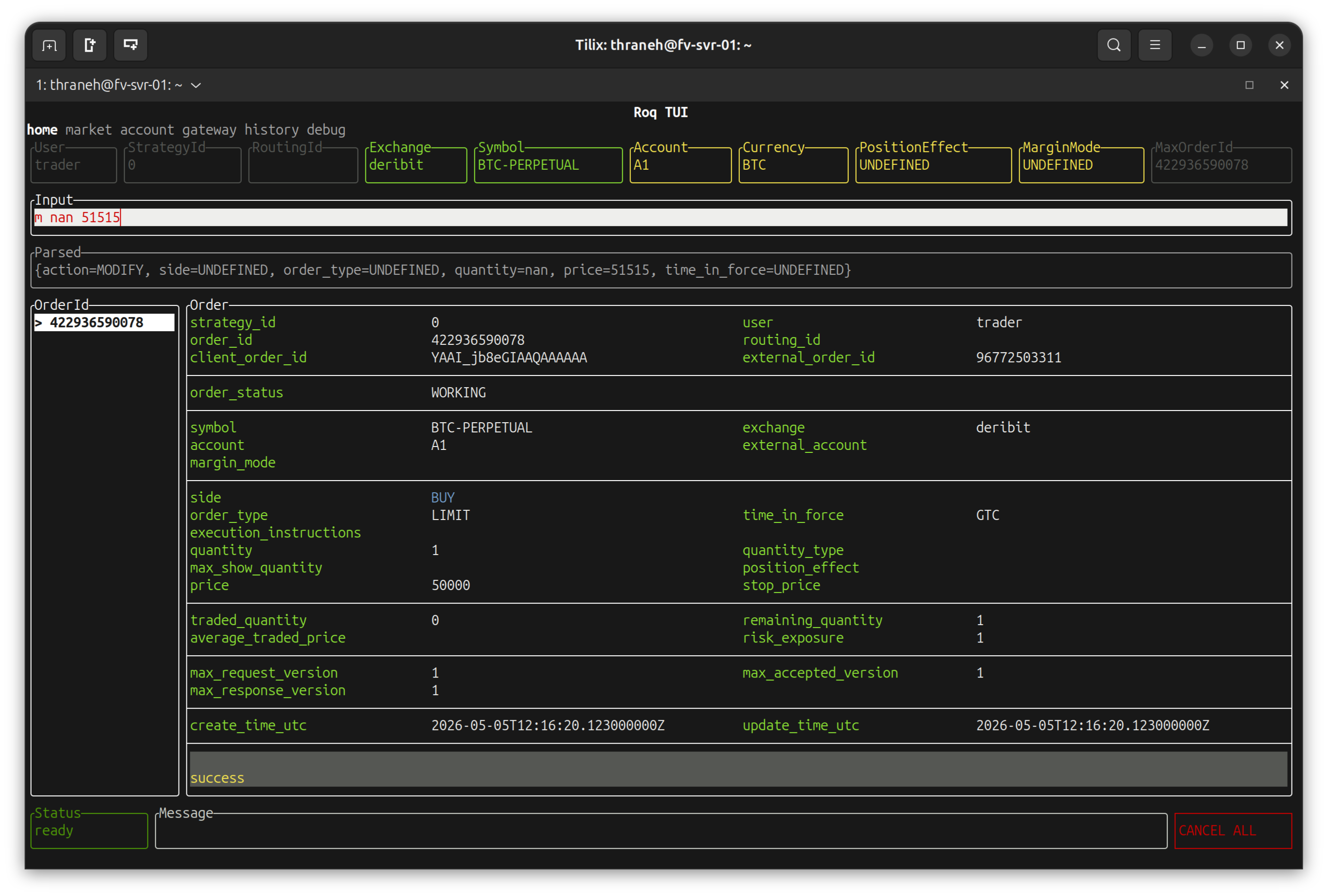
Note
m nan 51515
Means: “modify price to 51515”.
The arguments are quantity and price.
We use nan for quantity which will be interpreted to mean “don’t change”.
After hitting “enter”
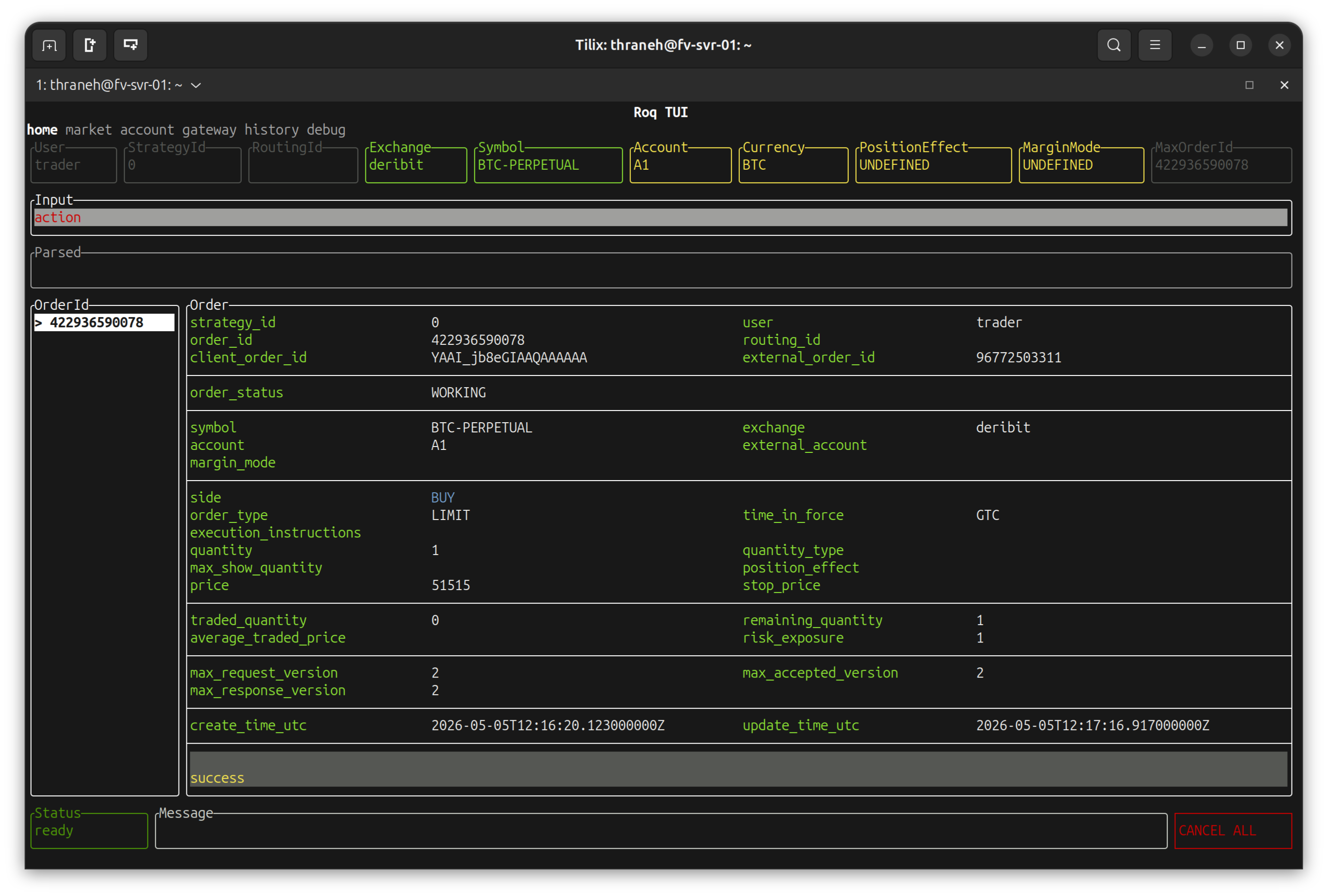
Note
We notice that the version fields have increased to 2 and that the price has changed.
Finally we enter a cancel request
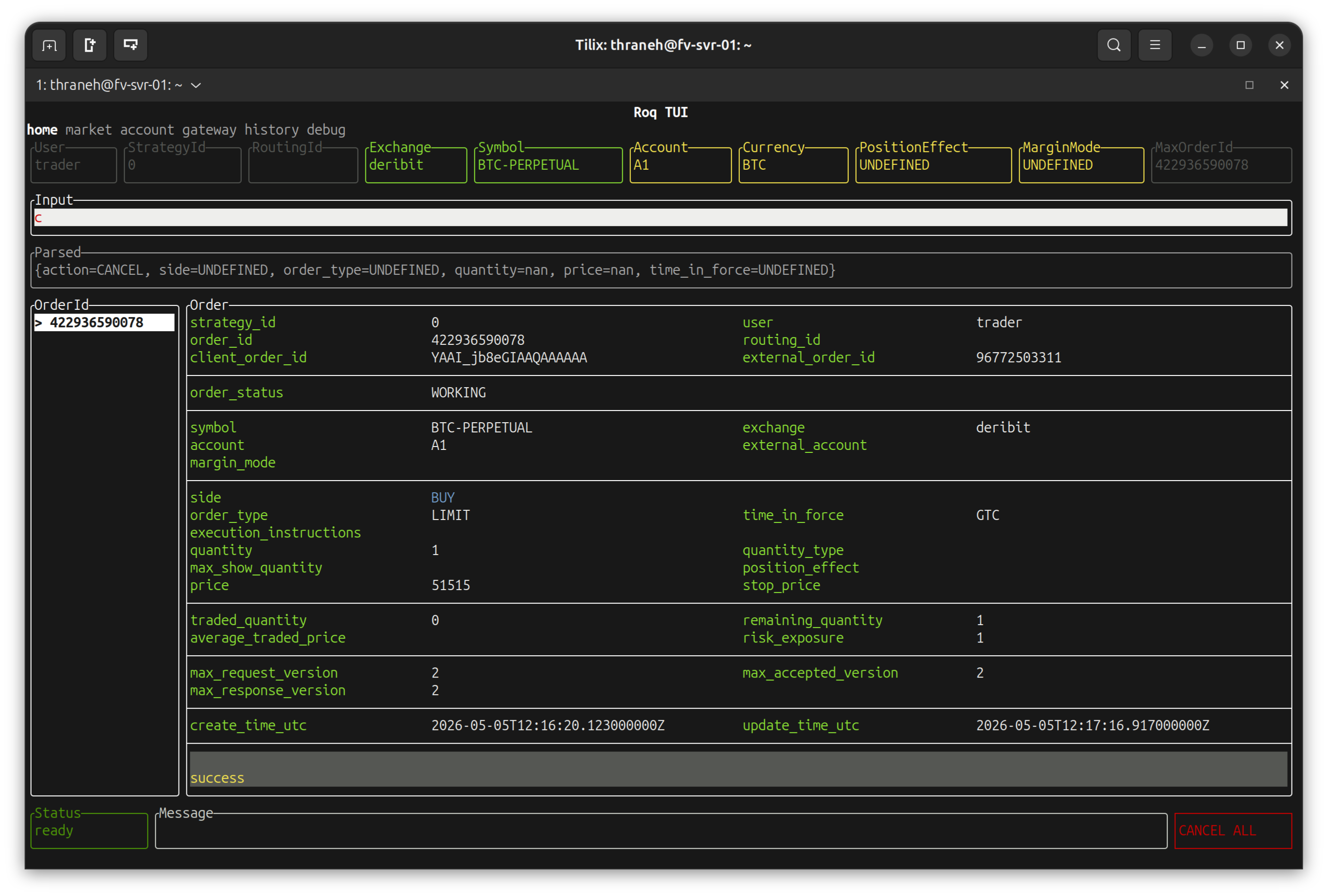
Note
c
Means: “cancel”.
There are no arguments.
After hitting “enter”
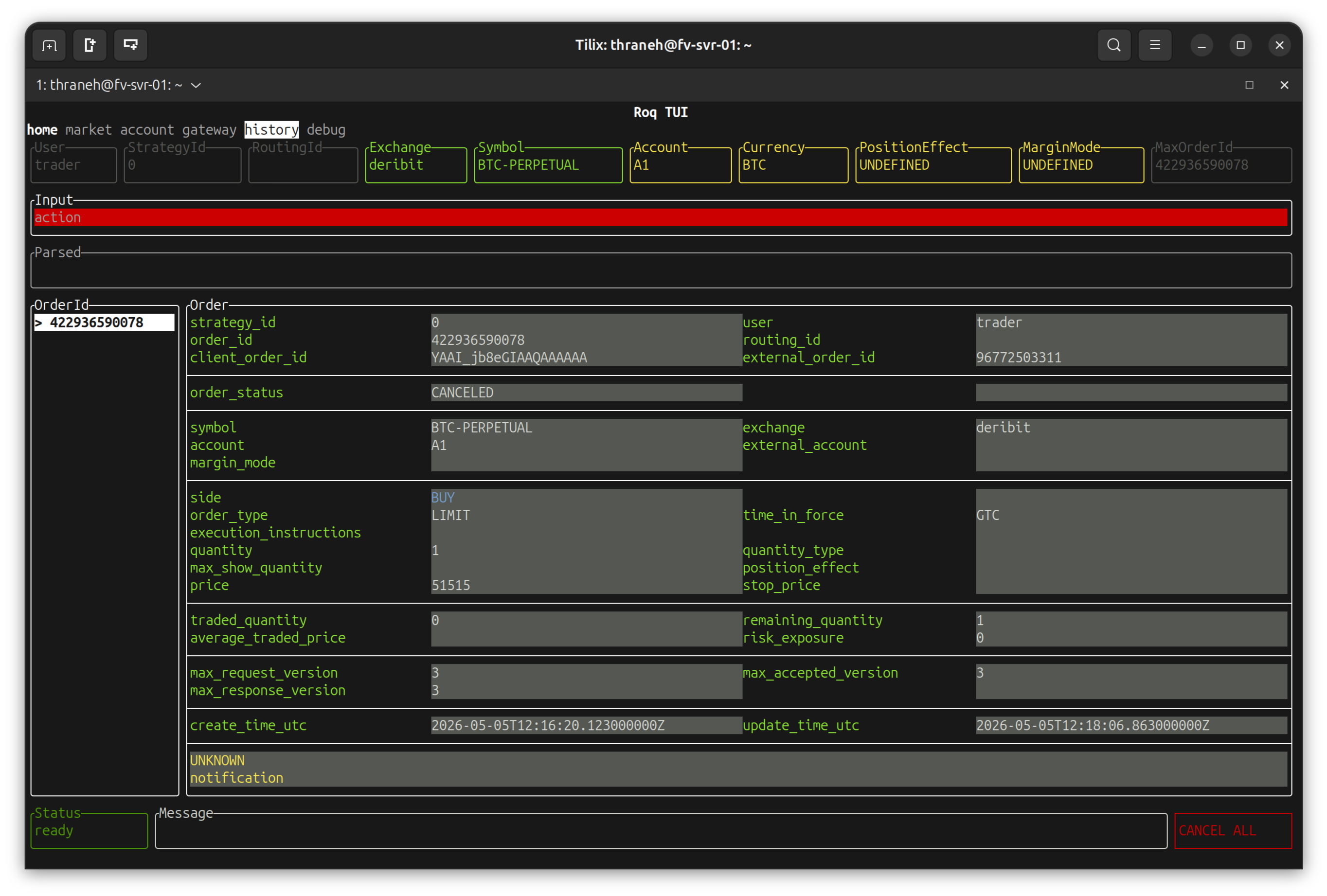
Note
We notice that the versions fields have increased to 3 and that the order-status has changed to canceled.
The background is now color-coded to indicate that the order is no longer active on the exchange.
Market Order
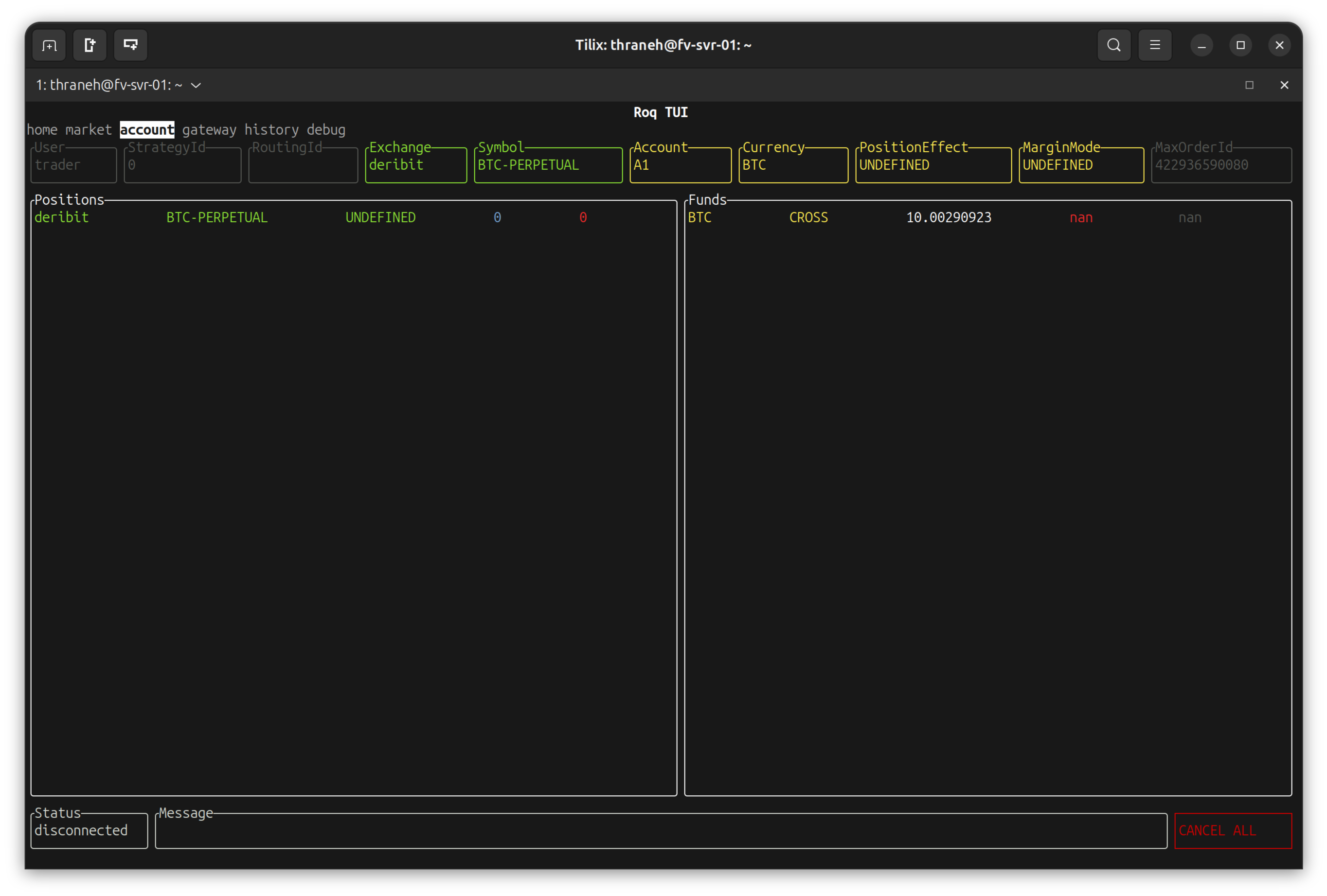
Naviage to the “account” page to see current position
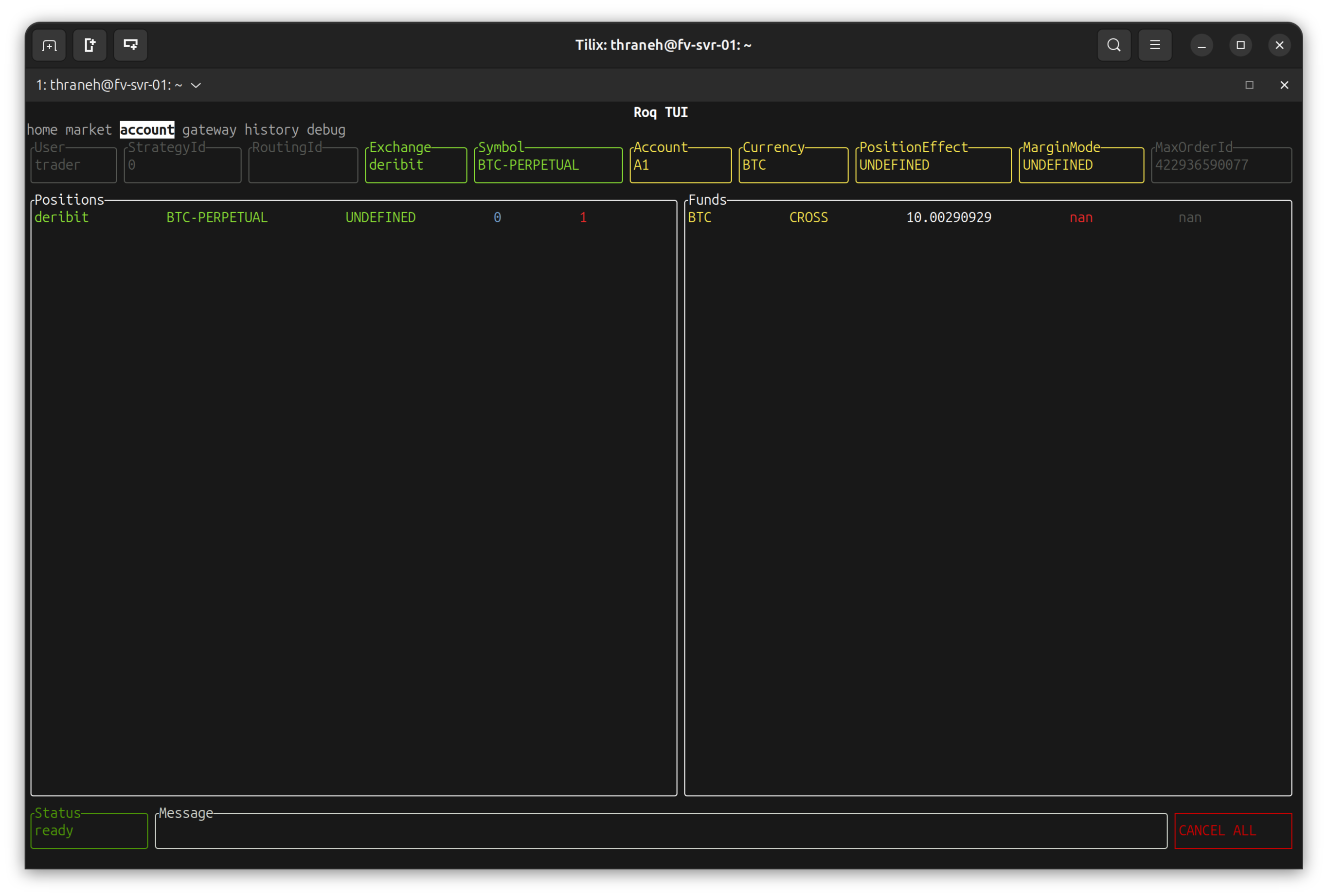
Note
We have a short position of 1 lot.
Navigate back to the “home” page and submit a market order
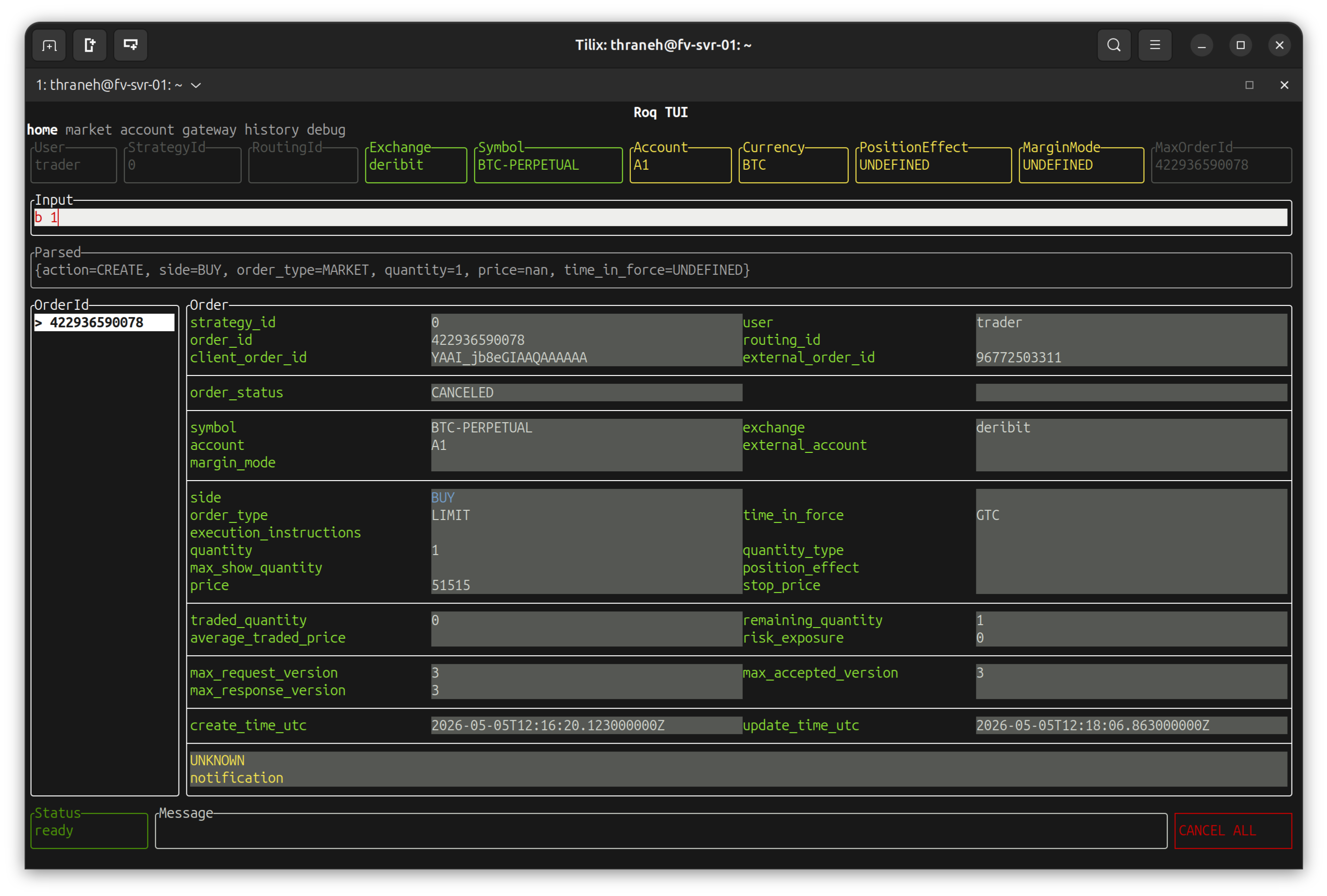
Note
b 1
Means: “buy 1 lot at market”.
Also note that this is a request to place a new order. The visible order is the one from the previous example.
After hitting “enter”
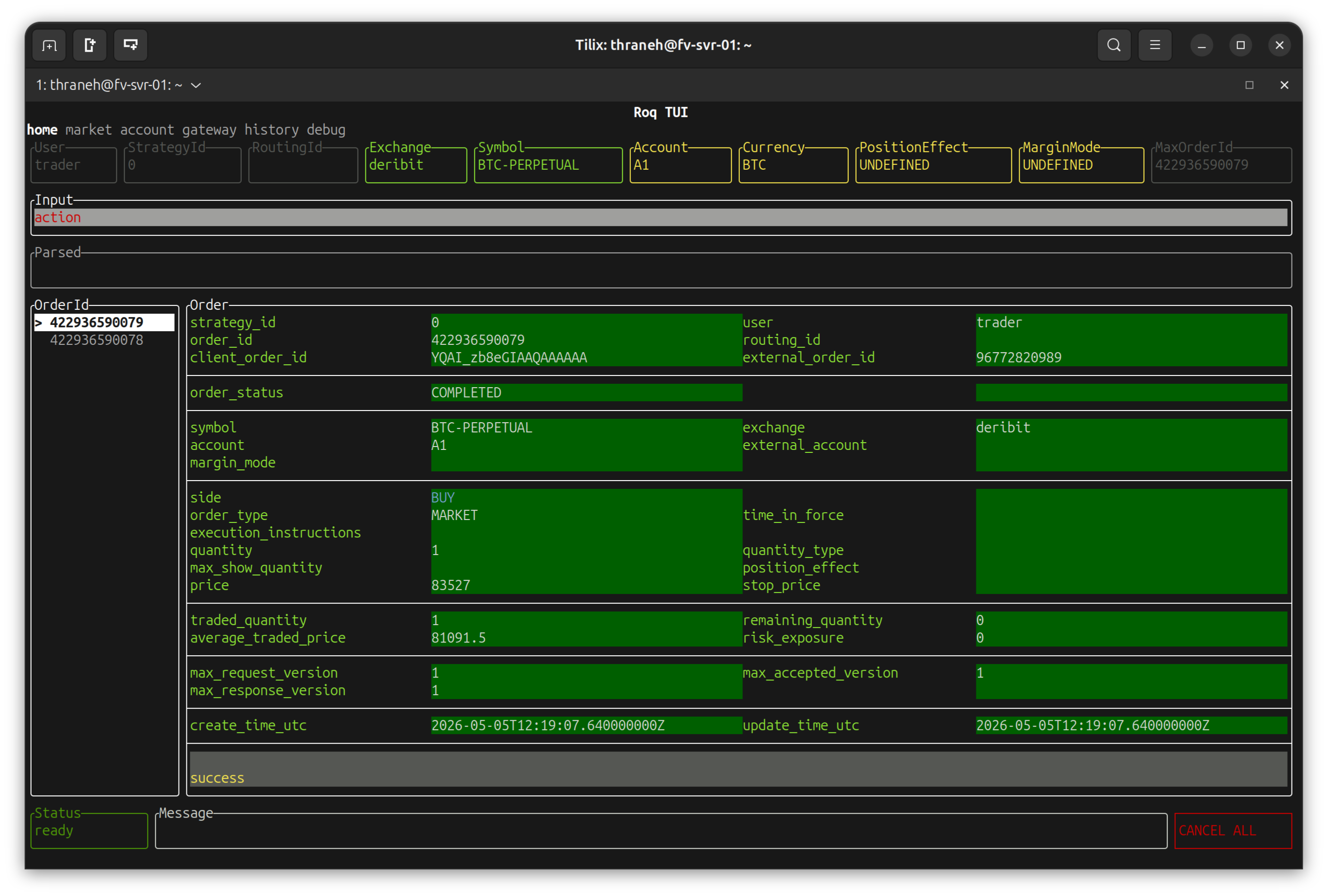
Note
The visible order has now changed and you see two order IDs on the left.
As expected, the status of the market order is COMPLETED and the quantity fields indicate it was filled.
Navigating back to the “account” page we see the current position has ndeed been closed.
Note
The position has indeed been closed.